SimplisticNode

BeamMP Server Hosting

Build your BeamMP server

Host BeamNG.drive multiplayer for your crew, with full access to your server config and mods on hardware close to your players.
BeamMP
Premium

Salt Lake CityAMD Ryzen

Memory4 GB DDR5
Storage50 GB NVMe
Players25 slots

Per month

$8.00

DDoS protection and daily backups included

Deploy my server
  • Always-on DDoS protection
  • Daily backups
  • Easy game panel with full file access
  • Instant setup
  • 24-hour money-back guarantee
  • 24/7 support from real people

Game

Hardware

Memory

4 GB

Turbo: the classic BeamMP lobby, around 18-25 players.

Storage

50 GB

50 GB included. Extra 50 GB NVMe for $1.50/mo.

Players

25

Suggested for 4 GB: 18-25 players.

Location

Billing

Billed every month. Cancel any time.

Add-ons

Optional extras for your server.

Your server$8.00/moDeploy

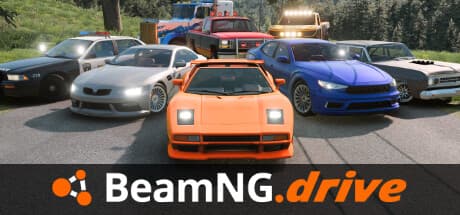
Hosting BeamMP

BeamMP adds multiplayer to BeamNG.drive. Each player's game does its own physics, and the server keeps everyone's cars in sync, so the server's job is fast, steady networking rather than heavy number crunching.

Memory goes on players and mods. Around 2 GB suits 10 to 12 players, 4 GB is the classic lobby of 18 to 25, and 6 GB handles busy servers and events of 30 to 40. Big map mods and lots of vehicle mods need a little more room.

01

Your server config

Everything lives in ServerConfig.toml: the server name and description, the map, max players, max cars per player and whether the server is private. You'll need a free authentication key from the BeamMP keymaster, which goes in the AuthKey line. Edit the file in the panel and restart to apply changes.

02

Mods and plugins

Upload vehicle and map mods as .zip files into Resources/Client with the file manager or SFTP, and players download them automatically when they join. Server-side Lua plugins go in Resources/Server. Remember that everything in Resources/Client is downloaded by every player, so a lean mod list means faster joins.

03

Hardware and location

Distance matters more than anything for keeping cars in sync, so pick the location closest to most of your players: Salt Lake City or Dallas for North America, Newcastle for the UK and Europe. Premium Ryzen hardware gives the most headroom for big events, and Budget Xeon is fine for a regular lobby.

04

Getting started

Once your server is set up, add your auth key and a name to ServerConfig.toml and restart. Your server then shows in the BeamMP launcher's server list, or players can connect by address if it's private. Start with a small mod list, check everyone can join, then add more. Daily backups keep your config and mods safe as you go.

“I liked the quick service when I wanted to do upgrades, the pricing .. everything. I recommend Simplistic to my friends.”
JacobTheKidd · Verified customer

Frequently asked questions

Still stuck? Real people are on live chat and Discord around the clock.

About 2 GB for 10 to 12 players, 4 GB for 18 to 25 and 6 GB for 30 to 40. Add a little more for big map mods.

Yes. Get a free key from the BeamMP keymaster and paste it into the AuthKey line in ServerConfig.toml.

Upload the mod .zip files into Resources/Client with the file manager or SFTP. Players download them when they join.

Yes. Set the Map line in ServerConfig.toml to the map you want, including modded maps you've uploaded, and restart.

Yes. Set Private to true in ServerConfig.toml and the server won't appear in the public list. Share the address with your friends instead.

Budget runs on Intel Xeon servers with DDR4 memory and SSD storage, and is great value for smaller servers and friends. Premium runs on AMD Ryzen 7950X servers with DDR5 memory and NVMe storage: much faster per core, which busy or heavily modded servers notice most.

Premium servers are set up automatically: once your payment goes through, your server is created and you can log in to the game panel straight away. Budget hardware and our Dallas location are on pre-order, so those servers are set up as soon as they launch.

Pick the one closest to most of your players: Salt Lake City or Dallas for North America, Newcastle for the UK and Europe. Distance adds lag that no amount of hardware can remove.